New in August: Password Manager ratings updated and expanded Read more

Early access · SecurityCheckli.st

Simple privacy. Stronger protection.

SecShield VPN.

Private browsing without the complexity. Early access from SecurityCheckli.st.

Join early access Explore features

Checkout opens at launch

Safer public Wi-Fi Reduce casual exposure on shared networks while connected.
Encrypted tunnel Traffic between your device and the VPN path is protected.
Location control Choose a region, or leave routing on recommended.
Published policy Logging and retention terms publish before launch.

Works on your devices

One account across planned SecShield apps.

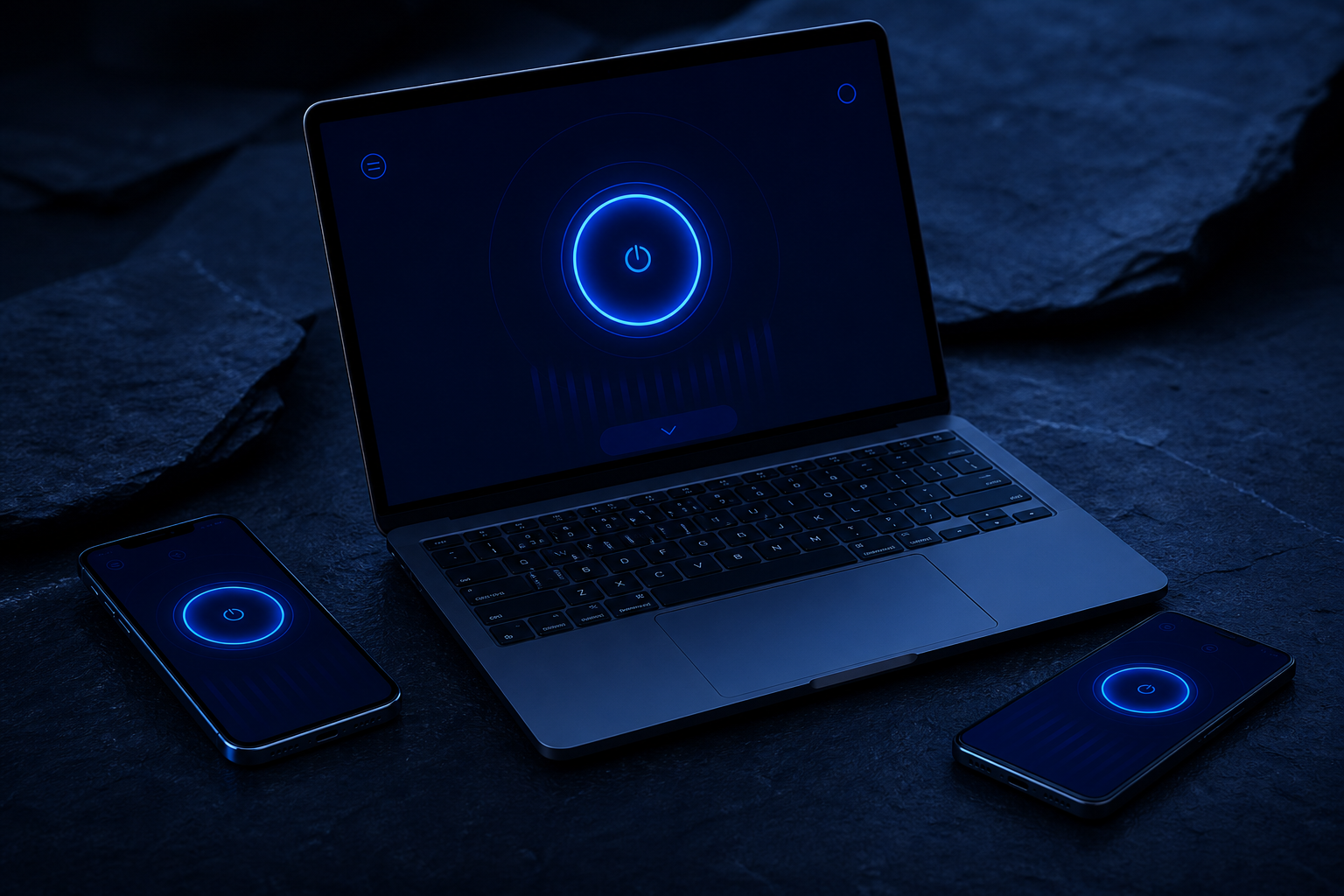
Planned SecShield phone and tablet apps showing the connection view

Simple pricing. Published before launch.

Annual Launch pricing TBD Billing details will be published before launch. Join early access
Monthly Launch pricing TBD Billing details will be published before launch. Join early access
Approved pricing Not published yet Coming soon Refund and cancellation terms will be published with approved pricing. View pricing
  • Checkout opens at launch
  • No card details collected
  • Billing terms before launch

Frequently asked questions

All questions
Is SecShield VPN safe to use?
SecShield is early access, so there is no production build to install yet. Confirmed encryption and protocol details publish with the first release.
Can I use SecShield VPN on multiple devices?
Planned platforms are Windows, macOS, iPhone and iPad, Android, and browser. The device allowance publishes with approved pricing.
Will SecShield VPN slow down my internet?
Every VPN adds routing overhead. Measured performance publishes once the production build is testable.
What is your refund policy?
Refund and cancellation terms will be published with approved pricing.

Ready to take control of your privacy?

Join early access to follow SecShield as apps, pricing, and policies move from planned to launch-ready.

Join early access View pricing

Checkout opens at launch

What it is

A VPN connection product for everyday use

SecShield is a privacy app focused on protecting your internet connection. It is built for normal people who want a clear protected state, not a wall of jargon.

When connected, your traffic routes through a protected VPN path. You choose a location when that control is available, review connection status, and adjust planned protection settings from one product experience.

  • VPN connection product from SecurityCheckli.st
  • Simple connected and disconnected states
  • Location control as a planned core feature
  • Apps planned across major device platforms

Product UI

Designed around a clear connection state

These frames illustrate the planned SecShield experience. Labels and regions are UI chrome only, not live server inventory.

Quick Connect

One primary action to connect or disconnect, with a readable protected status.

Locations

Browse and select a preferred region when location selection is available.

Connection details

See whether you are connected, which location is selected, and session status.

Settings and protection

Review planned controls such as auto-connect, kill switch, and DNS leak protection.

How it works

Four steps from open to protected

SecShield keeps the path simple. Connect, route traffic through a protected VPN path, and continue browsing with a clearer privacy posture. It does not make you anonymous online.

  1. Open SecShield

    Launch the app on a supported device once builds are available.

  2. Choose automatic or preferred location

    Use recommended routing or pick a location when selection is available.

  3. Connect

    Confirm the protected state before you continue browsing.

  4. Traffic routes through a protected path

    Your device traffic travels through the VPN connection while connected.

Read the full how it works guide

Connection effect

What changes when you connect

A VPN changes how your traffic leaves your device. Destination sites still see the VPN exit IP, and information already shared elsewhere is not removed.

Before

Direct network path

Your device uses the local network path. Visible IP and some traffic patterns can be easier for the local network or ISP to observe, depending on the site and protocol.

Connected

Encrypted tunnel

Traffic between your device and the VPN path is encrypted. Your apparent location may follow the selected exit. Local public-network exposure is reduced while connected.

After

Exit to the internet

Destination sites receive traffic from the VPN exit IP. Accounts, cookies, and login state still identify you to those services when you sign in.

Protection scope

What SecShield helps protect against

Careful claims only. SecShield is not a guarantee against every attack, scam, or tracking method.

Unsafe public Wi-Fi exposure

Helps reduce casual observation of traffic between your device and the VPN path on shared networks.

Routine ISP destination visibility

Where applicable, destination traffic patterns can be less visible to the local ISP while connected.

Basic IP and location exposure

Your apparent network location can follow the selected VPN exit instead of your local network.

Accidental unprotected use

Auto-connect is Coming soon and is intended to reduce unprotected network use when enabled.

DNS and IP leak risks

DNS leak protection and related controls are Coming soon . Confirmed leak-protection behavior will be published with production builds.

Trust boundaries

What SecShield does not do

Clear limits matter as much as features.

Does not make you completely anonymous

Accounts, browsers, and apps can still identify you after you sign in.

Does not replace antivirus

Malware protection is a different product category.

Does not prevent phishing by itself

A VPN does not tell you whether a message or site is legitimate.

Does not make illegal behavior legal

Connection privacy is not permission to break the law.

Does not erase prior sharing

Information already shared with third parties stays with those parties.

Cannot guarantee every streaming location

Streaming availability depends on each service and region rules.

Privacy

Privacy by design, published carefully

Prelaunch product privacy summary. Final policy will be published before launch.

Final production logging and retention policy will be published before launch.

  • Data minimisation principles guide what we plan to collect
  • Account data requirements will be published with the final policy
  • Connection logging and retention remain subject to the prelaunch statement above
  • Support data handling will be described in the final privacy materials

Read the privacy summary

Current status: Early access
Final production logging and retention policy will be published before launch.

Security

Security architecture (planned)

Confirmed encryption and protocol details will be published when the production build is ready.

Tunnel and encryption

Confirmed encryption and protocol details will be published when the production build is ready.

Planned

DNS protection

DNS leak protection is tracked as a planned feature in product configuration.

Planned

Kill switch

Intended to reduce unprotected traffic if the VPN path drops, once available.

Planned

Auto-connect

Planned to help reconnect or start protected when joining untrusted networks.

Planned

Open the security overview

Use cases

Where SecShield is meant to help

Travelling

Keep a consistent protected connection habit across networks.

Airports and hotels

Reduce casual exposure on shared public Wi-Fi.

Working remotely

Add a clearer privacy layer on coffee-shop and travel networks.

Home privacy

Use a protected path for everyday browsing when you want less local visibility.

Streaming while travelling

Location choice may help, without guarantees from every streaming service.

Multiple devices

Planned apps aim for the same simple connection model across platforms.

Wi-Fi and mobile switching

Protection controls are planned for network changes; availability follows config status.

Devices

Planned device ecosystem

Platform availability is driven by configuration. Download buttons appear only when a URL exists.

Windows

Planned

Windows support is planned. Availability will update from product configuration.

macOS

Planned

macOS support is planned. Availability will update from product configuration.

iPhone / iPad

Planned

iPhone / iPad support is planned. Availability will update from product configuration.

Android

Planned

Android support is planned. Availability will update from product configuration.

Browser

Planned

Browser support is planned. Availability will update from product configuration.

Browse apps and platforms

Performance

Honest about speed

Every VPN adds routing and encryption overhead. Distance to the selected exit, local network quality, and protocol choice all affect how browsing feels.

Automatic or recommended selection can improve usability, but SecShield will not claim to be the fastest VPN or publish invented throughput numbers.

  • VPNs add overhead by design
  • Server distance and path quality matter
  • Protocol and network conditions matter
  • No fabricated Mbps or latency marketing claims

Locations

Location experience, without invented server counts

The location panel is designed for search, recommended regions, favourites, and recent picks. Favourites and recent locations are tracked as planned features in configuration.

Location selection Coming soon
Favourite locations Coming soon
Recent locations Coming soon

Region names in the UI frame are illustrative chrome only. They are not a live inventory and do not imply a published server count.

Controls

Protection controls

Status for every control comes from product configuration. Planned items are marked clearly.

VPN connection Coming soon
Location selection Coming soon
Auto-connect Coming soon
Kill switch Coming soon
DNS leak protection Coming soon
Protocol selection Coming soon
Favourite locations Coming soon
Recent locations Coming soon
Trusted networks Coming soon

See the full features page

Getting started

Setup in minutes, when apps ship

Early access currently focuses on product education and checkout preview. Install links activate when platform download URLs are published.

  1. Join early access or choose a plan

    Start from pricing or checkout preview. Prices remain TBD until approved.

  2. Download for your platform

    Use the install hub once a platform download URL is available.

  3. Sign in

    Account creation and sign-in details publish with the production apps.

  4. Connect

    Confirm the protected state and continue browsing.

  5. Adjust preferences

    Review planned controls such as auto-connect and trusted networks.

Compare

Plan comparison

Device limits and final entitlements will publish with approved pricing. Feature rows below reflect current configuration status.

Capability Monthly Annual
Display price TBD TBD
Devices included TBD TBD
Core VPN connection Planned Planned
Location selection Planned Planned
Auto-connect Planned Planned
Kill switch Planned Planned
DNS leak protection Planned Planned
Support Via SecurityCheckli.st Via SecurityCheckli.st

Refund and cancellation terms will be published with approved pricing.

Parent brand

Why SecurityCheckli.st built SecShield

SecShield grew out of reviewing privacy and security products for everyday decisions. The goal is clearer controls, transparent claims, and a simpler path from confusion to a protected connection.

SecurityCheckli.st remains a security decision platform. SecShield is a first-party product from the same team and must be disclosed as such in comparisons.

SecShield is developed by SecurityCheckli.st.

First-party disclosure

SecShield is developed by SecurityCheckli.st. Where SecurityCheckli.st compares SecShield with third-party products, that relationship must be disclosed clearly.

Help

Install and support hub

Install SecShield

Platform guides for Windows, macOS, iPhone/iPad, Android, and browser.

Set up your account

First-run onboarding steps for when apps become available.

Troubleshoot a connection

Safe generic guidance for common connection questions.

System requirements

Planned platform baselines and current availability status.

Contact support

Reach SecurityCheckli.st through the contact route.